From Web to Living Room: Porting to Apple TV

How I ported a React application to a native Swift game and shipped to Apple TV without knowing Swift—or React for that matter.
If you read the first part of this story, you know how Debug Survivor went from a single prompt to a playable browser game, then to the iOS and Android app stores over a weekend. Capacitor made that possible… it wraps your web app in a native container, and suddenly you’re shipping to mobile.
So the obvious question was: could I do the same thing for TV?
Why Go Native?
My first thought was to use Capacitor again. It wrapped the web app for iOS and Android. Surely tvOS would be similar?
No. Apple doesn’t allow browsers on Apple TV. There’s no WebKit. No WebView. No way to run JavaScript in a native container. If you want an app on the big screen, you write Swift.
Here’s the thing: I’ve never written a line of Swift in my life.
So the question became: could I orchestrate an AI to rewrite an entire game in a language I don’t know, from a framework I don’t know, for a platform I’ve never developed for?
The 40-Hour Estimate
Before starting, I asked Claude to generate a porting plan. The result was comprehensive: six phases covering project setup, player movement, weapon systems, enemy spawning, UI, bosses, and tvOS-specific polish.
The estimate? 40 hours. One week of full-time work.
Feature Parity
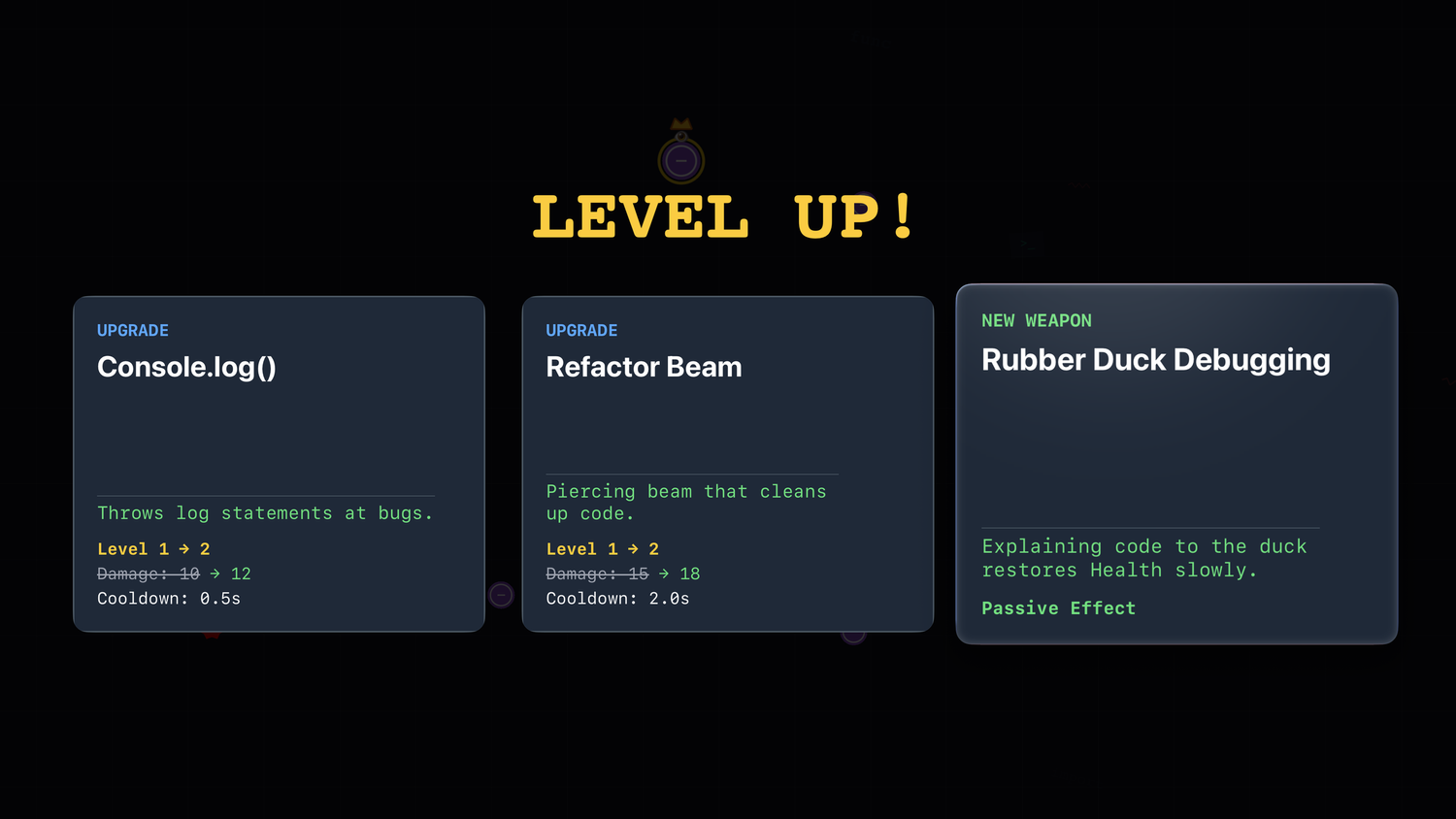
The web version had grown into a proper game.
Matching it meant implementing:
- 9 enemy types
- 8 bosses
- 18 weapons
- Elite modifiers
- PR Events
- Hazard systems
Then there was tvOS-specific work:
- Siri Remote support: The touch surface maps to a virtual D-pad
- Gamepad support: Xbox and PlayStation controllers work via Apple’s GameController framework
- Top Shelf image: A 1920x720 banner that displays when your app is highlighted on the home screen
- Focus engine: SwiftUI menus need to support the tvOS focus system for remote navigation
And then there was the app icon…
The LSR Rabbit Hole
tvOS app icons aren’t images. They’re layered stacks that create a 3D parallax effect when you hover over them with the remote. Apple requires a specific file format called LSR (Layered Still Resource).
I had never heard of this format.
Getting a working layered icon took longer than implementing several weapons combined. It’s a perfect example of platform friction that no amount of AI assistance can bypass; you just have to fight with the tooling until it works.
The AI Collaboration Pattern
As I said before: I don’t know Swift. I don’t know React either. The entire Debug Survivor project (web, mobile, and tvOS) was built through AI orchestration.
For the tvOS port, this meant:
- Reading code I don’t understand: I’d look at the TypeScript renderer and identify what it was doing conceptually, even if I couldn’t write it myself
- Describing behavior, not implementation: “The SyntaxError enemy is a red spiky circle with 8 triangular points that rotates continuously” rather than “convert this arc() call”
- Testing relentlessly: Since I couldn’t code review the output, I had to run it and see if it worked
- Reporting symptoms: “Players die immediately after selecting a level-up upgrade” and letting the AI diagnose the cause
The AI generated 9 detailed planning documents over the course of development: boss fixes, feature parity checklists, bug triage lists. Each one was a checkpoint where I’d review what was broken, approve a fix strategy, and watch it execute.
What still required human judgment:
- Game feel: Is 45-60 seconds between LAG_SPIKE hazards too frequent? (Yes. We changed it.)
- Visual verification: Does this enemy look right? Does the game feel responsive?
What I Learned
You don’t need to know the language. I shipped a Swift app without knowing Swift. The barrier isn’t syntax; it’s knowing what you want and being able to describe it. If you can play a game and articulate “this doesn’t feel right because X,” you can direct an AI to fix it.
Platform friction is still real. AI can write Swift. AI cannot fight Xcode’s asset catalog. The LSR file format, provisioning profiles, and App Store screenshot requirements. These are bureaucratic obstacles that require human patience.
Testing replaces code review. When you can’t read the code, you have to run the code. I tested obsessively. Every change, every fix, every new feature: run it, play it, break it. The feedback loop was: describe problem → AI proposes fix → test → repeat.
Debugging is collaborative. I couldn’t diagnose the level-up death bug by reading code. But I could describe the symptom precisely: “Player dies the instant I select an upgrade, every single time, even with no enemies nearby.” The AI hypothesized the deltaTime spike. We were both necessary.
Try It Yourself
Debug Survivor is now live on four platforms:
- Web: debug-survivor.leek.io
- iOS: App Store
- Android: Google Play (Coming Soon)
- tvOS (Apple TV): App Store
From a single prompt to four platforms. The browser version in 20 seconds. Mobile in 24 hours. Native tvOS in 26 hours.
The total time from “I wonder if AI can build a game” to shipping on web, iOS, Android, and Apple TV: about a week.
This whole project started as a test. Could I take a dumb idea and ship it? Could I use AI to build something real, not just a demo? Turns out: yes.
But more than that… it was fun. Watching the pieces come together, hunting down bugs through pure observation, seeing the game run on my TV for the first time. There’s something deeply satisfying about orchestrating something into existence.
I don’t know what I’ll build next. But I know the process works. And I know I’ll enjoy finding out.